 Ziduri

Make Palette: see colour palettes in a real UI
A four-colour palette feed and live template preview studio. Browse and like palettes, submit new combinations, then see how they behave across realistic web app screens.
Works in a modern browser. Browsing, liking and studio previews are available without an account.
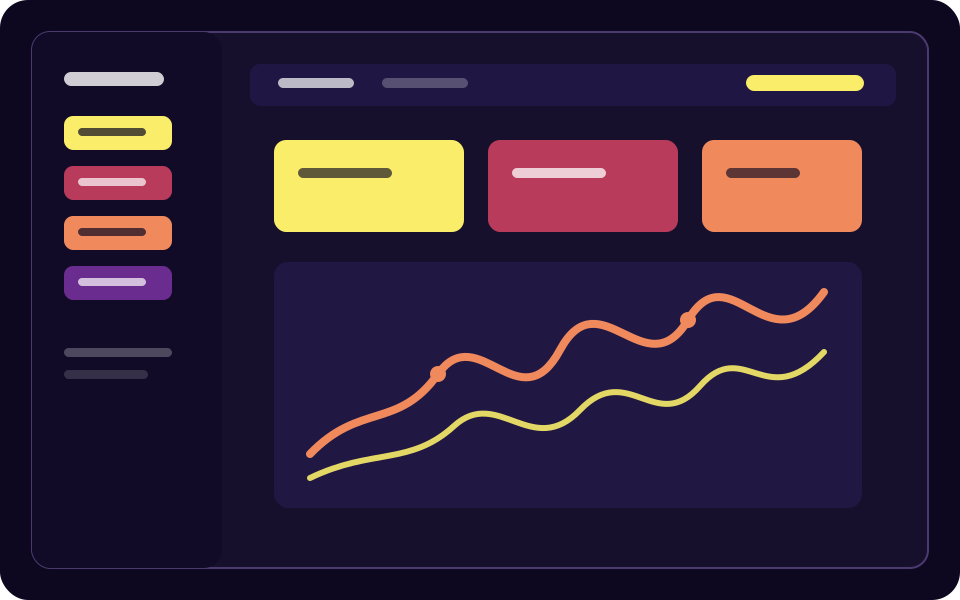
A palette is only useful when you can see it working
Colour chips and hex codes make comparison abstract. Make Palette puts each four-colour combination into the places where interfaces usually break: dense tables, forms, charts, buttons, status badges and large content blocks.
From inspiration to interface
Four-colour feed
Browse approved palettes as four stacked colour bands and copy any hex value with a click.
Likes without friction
Like palettes anonymously with a browser visitor identity, then optionally sign in to keep your collection across devices.
Live preview studio
Apply a palette to ten templates: dashboard, blog, CRM, store, landing, portfolio, projects, social, tasks and travel.
Role mapping
Shuffle the jobs assigned to the four colours, switch light or dark mode, and make manual role overrides when a palette needs adjustment.
Contrast guidance
The theme engine reports contrast notes while you explore, so a bright accent does not accidentally become unreadable body text.
Useful exports
Copy or download CSS, JSON and other token formats, or save a PNG of the current template preview.
Submit and tag
Choose four colours, add up to five tags and send a palette to the moderation queue. Duplicate and near-duplicate checks help keep the feed useful.
Shareable links
Every palette has a stable URL generated from its four colours, making it easy to share or return to later.
Who Make Palette is for
Product designers
Compare a colour direction against a believable interface before committing to a full design system.
Frontend developers
Start from a four-colour idea, inspect generated roles and export tokens you can adapt in a codebase.
Design learners
Use contrast notes and different templates to learn why the same colour behaves differently as a fill, text colour or status accent.
From four swatches to a working screen
Browse or submit
Start with the public feed, search by tags, or choose four colours and submit your own palette for review.
Choose a template
Open the studio from any palette, or start with a dashboard, store, blog, CRM or another template.
Tune the theme
Reorder colours, shuffle role mappings, switch modes and override a role when the automatic assignment is not right.
Inspect and export
Review token values and contrast notes, then copy or download the format and preview image you need.
What Make Palette accesses, and why
The public app works without an account, but likes and submissions are server-backed. See the privacy policy for the complete data flow.
| Capability | Why it is used |
|---|---|
| Browser storage | Keeps anonymous likes and the last selected palette locally so the collection and studio remain useful without sign-in. |
| Visitor and CSRF cookies | Identifies an anonymous liker and protects state-changing requests such as likes and submissions. |
| Palette API and database | Stores approved palettes, tags, likes and moderated submissions so the feed can be shared across visitors. |
| Optional account | Email magic links or Google sign-in sync the collection across devices and show your submissions. |
| Clipboard and downloads | Used only when you ask to copy a hex/token value or download a palette, token file or preview image. |
Frequently asked questions
Do I need an account?
No. You can browse, like palettes and use the studio without signing in. An optional account syncs your collection and tracks your submissions.
How many colours does a palette contain?
Every Make Palette palette contains exactly four colours, in an intentional order. The order can change how the theme engine assigns roles.
Are submissions published immediately?
No. New palettes enter a moderation queue. Duplicate and near-duplicate checks run before a moderator approves a palette for the public feed.
Which templates are included?
Dashboard, blog/CMS, CRM, e-commerce store, landing page, portfolio, project management, social network, task/to-do and travel/booking screens are included.
Explore Make Palette
Open the feed, read the implementation notes or review the data flow.
More from Ziduri
 Browser Extension
Float Note
A translucent floating note editor that saves notes per page, right in your browser.
 Desktop Application
LiteView
A tiny viewer for modern image formats through the platform web engine.
 Web App
JevReader
Find valuable original passages in a PDF and focus your reading without rewriting it.